References for a single scene
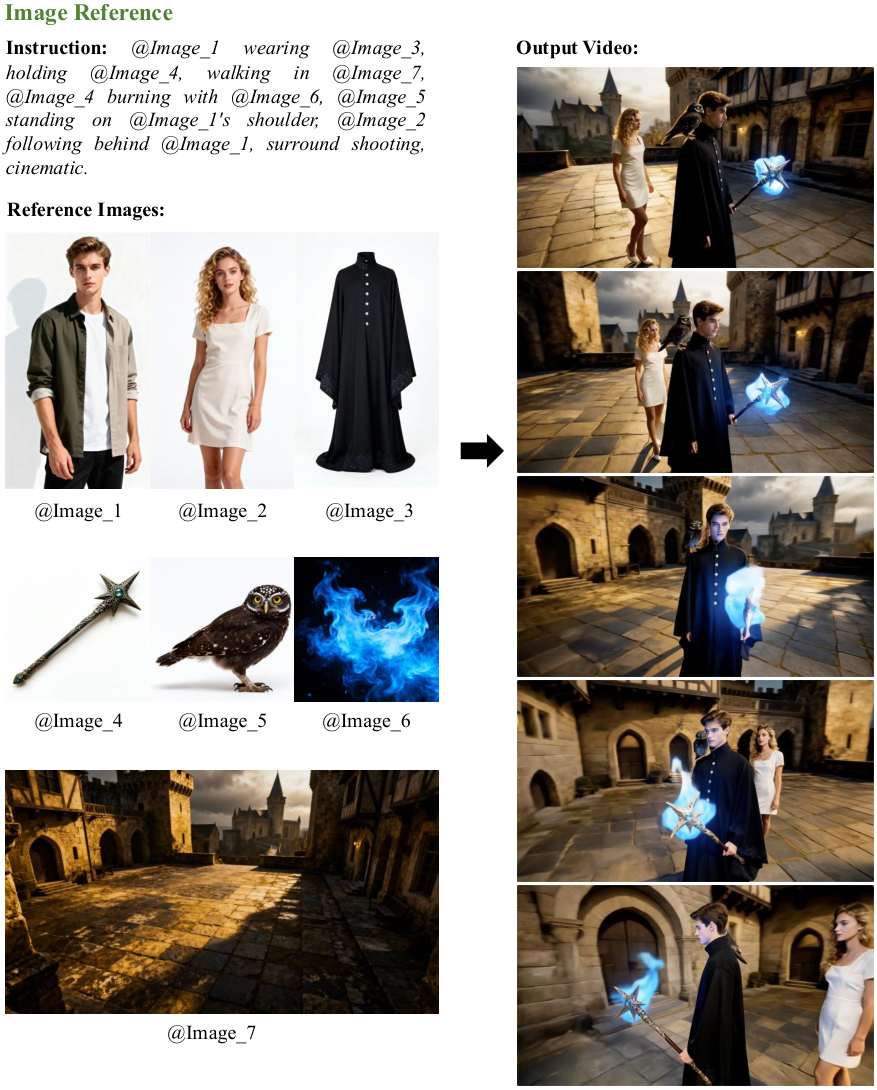
Give each reference a clear role: character, object or environment. Explain which traits should stay and what should change. One well-prepared image is enough for an initial test.

Kling AI · Model and API
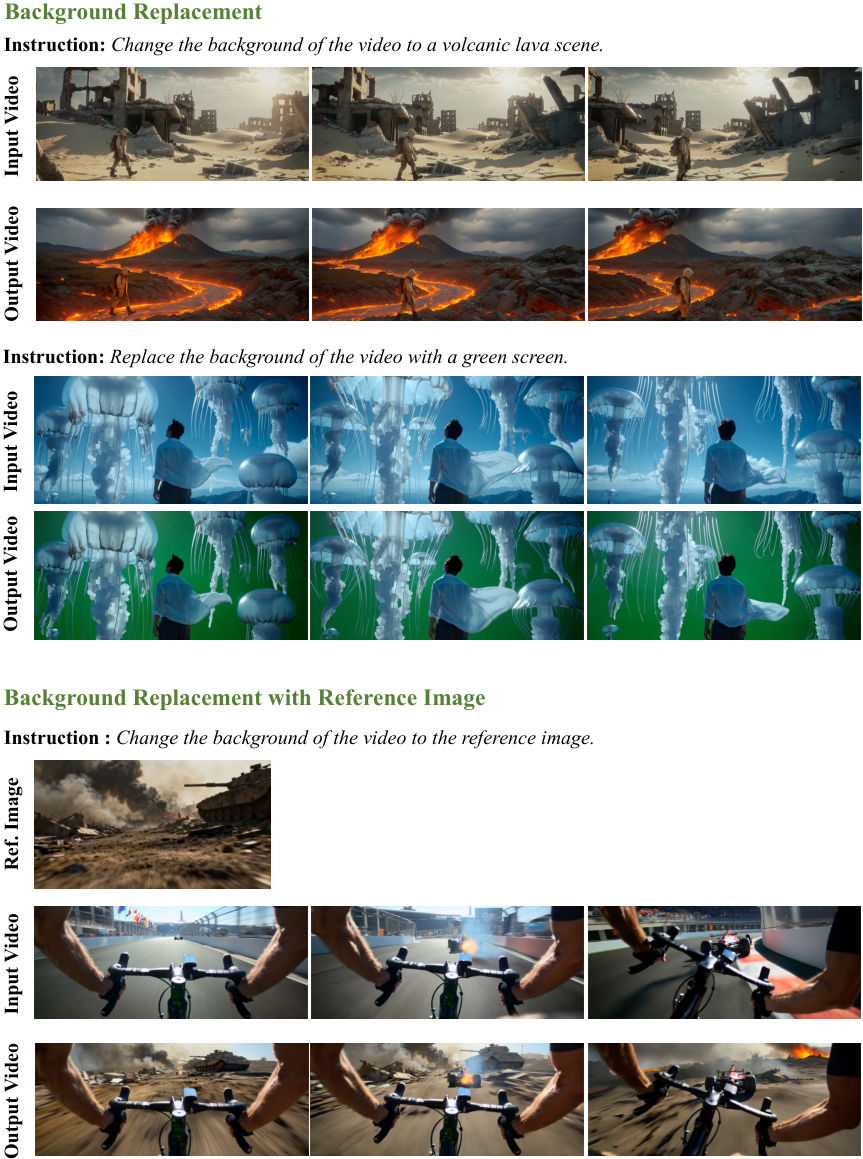
Kuaishou introduced Kling O1 as a multimodal generation and editing system. This runblob page brings together available reference-based video generation and a separate start-and-end-frame version.
Give each reference a clear role: character, object or environment. Explain which traits should stay and what should change. One well-prepared image is enough for an initial test.
For the Frames version, prepare the beginning and end of the scene. Align subject placement, lighting and perspective, then describe the transition. A clear relationship between frames makes it easier to judge whether the motion matches your plan.
To integrate the Kling O1 API, select the exact version and settings in the playground. The generated cURL includes the endpoint, request fields and required Bearer authorization type. Move the request into your server code; keep secret keys out of the browser. References use service-accessible URLs rather than local file paths.
Compare Kling O1 API costs separately for reference generation and Frames. Duration and mode affect the estimate. If an ending matters, a prepared final frame helps test your intent without relying on random endings, although exact matching is not guaranteed.
O1 References uses visual materials to guide a scene; O1 Frames specifies its beginning and end. Choose by your inputs, not price alone. Compare O3 separately for a newer multi-reference family, using the same scene and duration.
Transitions between two compositions
Clips with a preselected character
Animation tests for a storyboard
Connect the closed-box starting frame to the open-box ending frame. The lid slowly rises, with a static camera and unchanged light and background.
Frames requires two prepared images with consistent perspective.
Transition smoothly from the room’s daylight starting frame to its evening ending frame. Keep furniture still as the light gradually warms, without changing the viewpoint.
Matching object positions makes the transition easier to assess.
Use the bag from the first reference and the terrace from the second. The bag rests on a table while a breeze moves nearby fabric. The camera slowly approaches.
This reference-mode example assigns a distinct role to each image.
Runblob prices in USD. The final cost depends on the selected version and request parameters. Public rates refresh every six hours; personal rates are available in your dashboard.
Configure the parameters and build an API request. Sign in to runblob to start a generation.
Choose the Frames version in the playground and add images to the corresponding fields. Then describe the transition and select an available duration.
No. Frames defines the starting and ending images. Motion Control is a different workflow: it takes movement from video and transfers it to a character.
O1 References uses visual materials to guide a scene; O1 Frames specifies its beginning and end. Choose by your inputs, not price alone. Compare O3 separately for a newer multi-reference family, using the same scene and duration.
To integrate the Kling O1 API, select the exact version and settings in the playground. The generated cURL includes the endpoint, request fields and required Bearer authorization type. Move the request into your server code; keep secret keys out of the browser. References use service-accessible URLs rather than local file paths.
Compare Kling O1 API costs separately for reference generation and Frames. Duration and mode affect the estimate. If an ending matters, a prepared final frame helps test your intent without relying on random endings, although exact matching is not guaranteed.