Prepare two inputs
The image defines appearance; the video provides the performance. For a first attempt, use similar framing: if the video shows a full body, choose a full-body character image. Avoid objects that obscure important body parts.

Kling AI · Model and API
Kling Motion Control uses a character image and a driving video. The Kling team’s technical report describes transferring body movement, expressions and gestures while preserving the character’s appearance. This workflow requires a motion reference video.
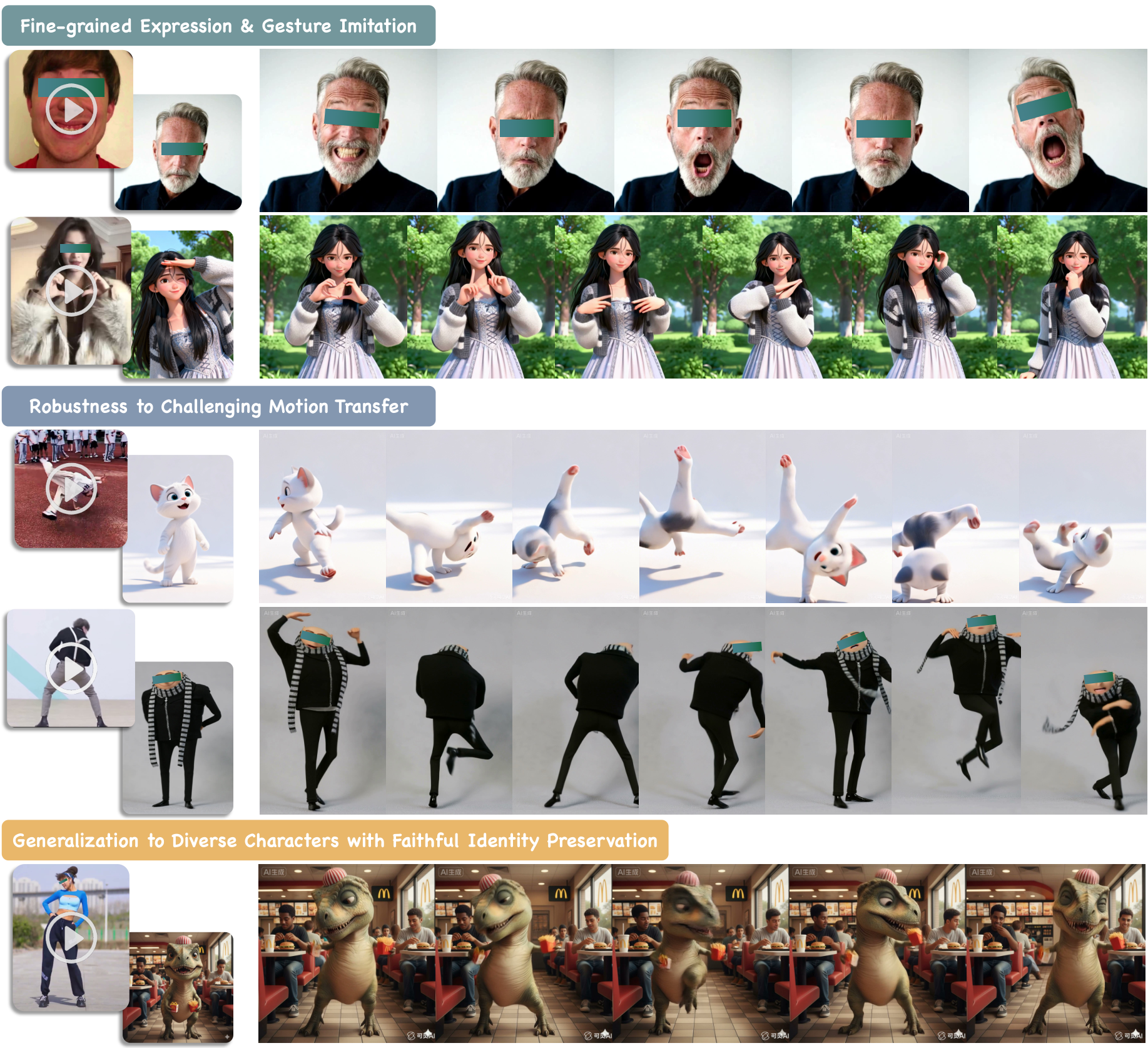
The image defines appearance; the video provides the performance. For a first attempt, use similar framing: if the video shows a full body, choose a full-body character image. Avoid objects that obscure important body parts.
Watch the output from beginning to end, paying attention to hands, head turns and fast transitions. Test a short segment before moving to a longer reference. The form shows the available duration limits.
To integrate the Kling Motion Control API, select the exact version and settings in the playground. The generated cURL includes the endpoint, request fields and required Bearer authorization type. Move the request into your server code; keep secret keys out of the browser. References use service-accessible URLs rather than local file paths.
Motion Control costs depend on the driving video’s duration: a per-second rate applies to billable time, not merely submitting a request. Trim the reference to the necessary action for a test. Compare versions on the same segment to understand the cost difference.
Choose a Motion Control version by its available settings and your task, then compare results using the same image-video pair. This does not replace ordinary text-to-video: use Kling Video without a driving clip, or O1 Frames for transitions between two still frames.
Dance clips featuring your character
Test character performances for animation
Short avatar gestures and reactions
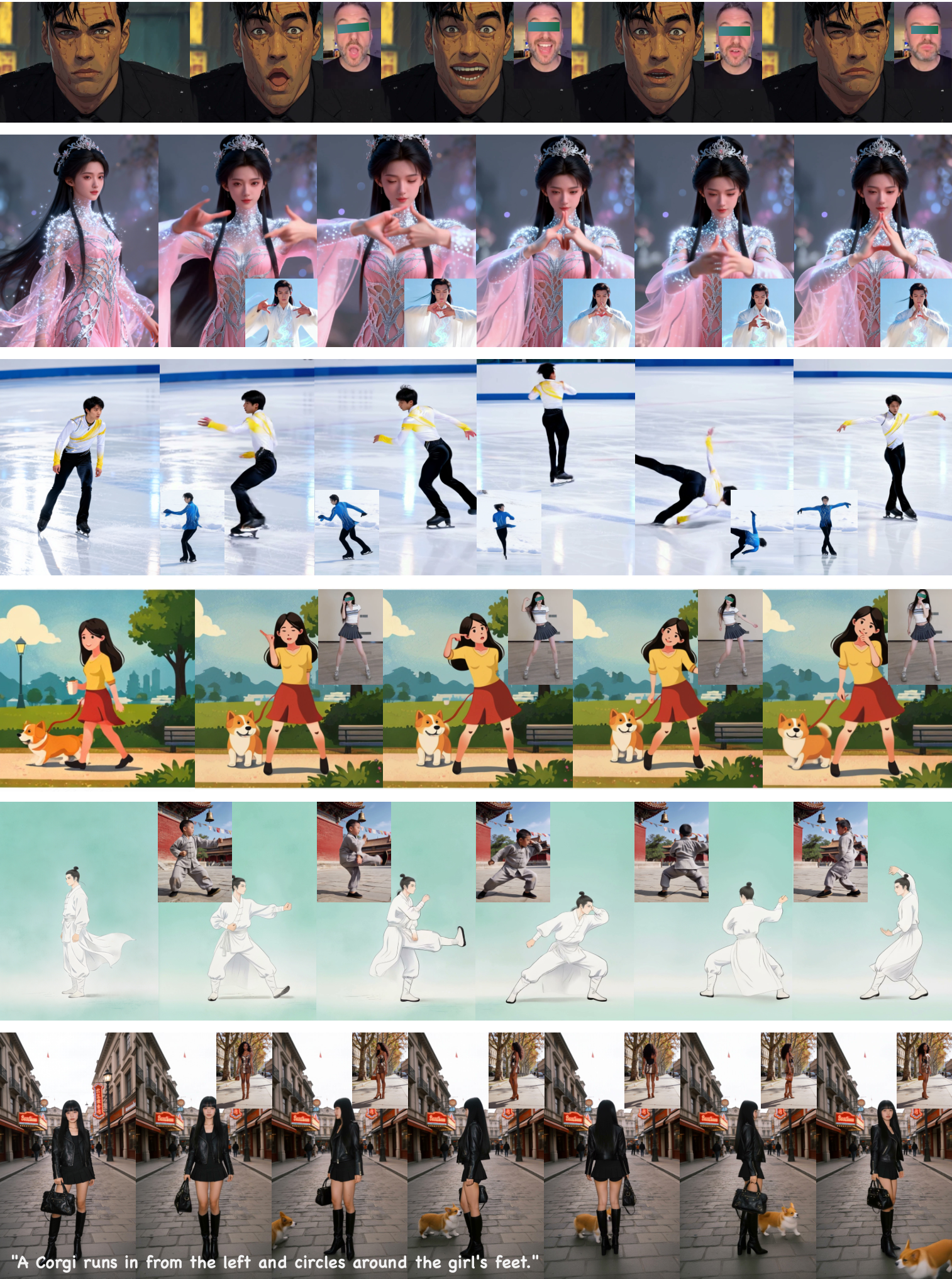
Transfer the video performance to the character in the image. Preserve clothing and proportions, keep the full body in frame and do not add other characters.
Use a full-body image and a video with clearly visible arms and legs.
The character repeats the greeting gesture from the video. Preserve the image’s face and clothing, with a quiet background and no shot change.
A short gesture helps with the initial assessment of hands and expressions.
Repeat the gentle body turn from the driving video. Preserve the original character’s silhouette and costume details without changing the background.
Match the input framing and inspect details during the turn.
Runblob prices in USD. The final cost depends on the selected version and request parameters. Public rates refresh every six hours; personal rates are available in your dashboard.
Configure the parameters and build an API request. Sign in to runblob to start a generation.
Motion Control takes movement from a reference video. For ordinary prompt-based generation or photo animation without a driving video, open Kling Video.
This workflow follows the reference video. Check its length against the selected version’s limits before submitting the task.
Motion Control costs depend on the driving video’s duration: a per-second rate applies to billable time, not merely submitting a request. Trim the reference to the necessary action for a test. Compare versions on the same segment to understand the cost difference.
To integrate the Kling Motion Control API, select the exact version and settings in the playground. The generated cURL includes the endpoint, request fields and required Bearer authorization type. Move the request into your server code; keep secret keys out of the browser. References use service-accessible URLs rather than local file paths.
Motion Control costs depend on the driving video’s duration: a per-second rate applies to billable time, not merely submitting a request. Trim the reference to the necessary action for a test. Compare versions on the same segment to understand the cost difference.